As of January 5th, we have added several features to expedite drawing and enhance overall user experience.
Global Favorites
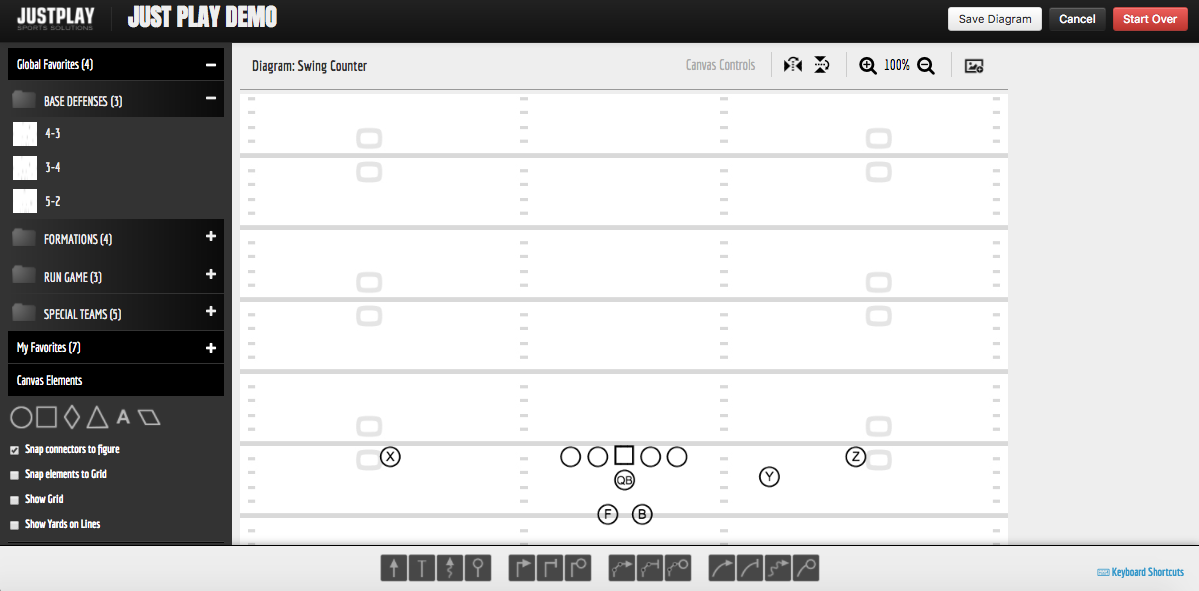
- When you arrive in the diagram tool, on the top left you will notice a new section above "My Favorites" titled "Global Favorites". These are some basic defenses, formations, run schemes and special teams formations for you to use at your leisure.
- Just like any other favorite, click the addition symbol directly to the right of "Global Favorites", open a folder and click and drag the thumbnail to the canvas to use to create a diagram.
New Keyboard Shortcuts
CTRL + Click on a segment of a multi-point line will highlight just the segment for you to style different from the rest of the line.
Hold ALT/OPTION key while drawing a line will cause the line to snap in 45 degree increments.
Hold SHIFT while drawing a multi-point line will turn the current line segment into a curve.
Below is a video tutorial explaining these keyboard shortcut updates.
0 Comments